



The GST portal may open normally on your computer, yet a specific function refuses to work. The login page keeps returning you to the same screen, a document does not open, a popup never appears, or DSC signing fails just before filing a return. These problems are often blamed on the GST website, but sometimes the real cause is the browser configuration on the user’s computer.
For Indian taxpayers, accountants and businesses regularly using the GST portal, a properly configured and updated browser can prevent many avoidable errors. Cookies, JavaScript, popups and the DSC signing setup all perform different functions, so changing random browser settings is rarely the best solution.
Start With an Updated Browser
Before changing advanced settings, check whether your browser is current.
Modern government portals use browser technologies that can behave incorrectly on outdated versions. An old browser may load the GST homepage but struggle with newer scripts, authentication processes or interactive forms.
Install updates through the browser’s official update facility and restart it afterward.
You can also keep a second updated browser available for troubleshooting. If a GST feature fails in one browser but works normally in another, the problem is more likely to involve the first browser’s settings, extensions or stored data.
Java and JavaScript Are Not the Same Thing
This distinction causes considerable confusion.
JavaScript is a web technology that modern browsers use to run interactive features on websites. It is built into browsers and can be enabled or blocked through browser settings.
Java, on the other hand, is a separate technology and should not automatically be treated as something that must be installed merely because a website uses JavaScript.
If someone tells you that the GST portal needs “Java,” first determine whether they actually mean JavaScript or a separate utility required for a specific GST function.
Do not download unknown Java packages from unofficial websites in an attempt to fix GST.
Make Sure JavaScript Is Allowed
If JavaScript is disabled, important parts of a web application may fail to work correctly.
Buttons may not respond, forms may not update, menus can behave incorrectly and pages may appear incomplete.
Open your browser’s site settings and confirm that JavaScript is permitted for the GST portal.
If you use a privacy or script-blocking extension, it may override the browser’s normal JavaScript settings.
A useful test is to open the GST portal in a clean browser profile or private window where unnecessary extensions are not interfering.
If the portal suddenly works, investigate your browser configuration rather than changing GST account information.
Allow Cookies Needed for GST Sessions
Cookies help websites maintain login sessions and remember information needed while you move between pages.
If cookies are completely blocked, you may experience repeated login problems or unexpected session behaviour.
For example, you might successfully enter your GST username and password but then be redirected or asked to authenticate again when opening another service.
Check the browser’s privacy settings and make sure necessary cookies are not being blocked for the GST portal.
You do not have to weaken privacy settings for every website. Modern browsers generally allow users to manage permissions on a site-by-site basis.
This is usually better than disabling security protections globally.
Clear Old Cookies When Login Behaviour Becomes Strange
Allowing cookies is important, but old or corrupted cookies can also cause problems.
If GST worked normally before but suddenly starts producing repeated redirects, login loops or unusual errors, clearing the stored GST site data can help.
Log out first and save any unfinished work.
Then clear the relevant cookies and cached files, restart the browser and log in again.
Remember that deleting cookies can sign you out of websites.
Use this troubleshooting step when needed rather than automatically clearing all browser data before every GST filing.
Check Popup Settings When a Window Does Not Open
Some web processes can open information, downloads or related actions in another window or tab.
If clicking a GST option appears to do nothing, your browser’s popup blocker may be involved.
Look for a popup-blocked notification near the address bar.
If you confirm that the request is coming from the genuine GST portal, allow the required popup for that site and try the action again.
Avoid turning off popup protection for the entire internet.
A site-specific exception provides a better balance between functionality and security.
Also check whether an extension is blocking the popup even after the browser itself allows it.
Browser Extensions Can Break GST Functions
Extensions are one of the easiest browser problems to overlook.
Ad blockers, script blockers, password managers, privacy extensions and security add-ons can modify how web pages behave.
Most of the time they cause no problem, but occasionally an extension may prevent a GST page component from loading correctly.
If you suspect an extension, test the same GST function in a browser profile without unnecessary add-ons.
If it works, re-enable extensions one at a time until you identify the conflict.
Do not permanently disable security software without understanding why it is interfering.
DSC Problems Need Separate Troubleshooting
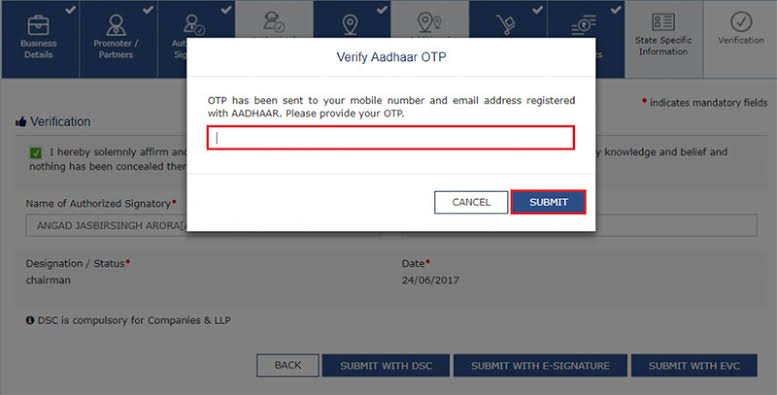
A browser that successfully opens GST returns can still fail at the DSC stage.
Digital Signature Certificate filing involves more than ordinary browser settings.
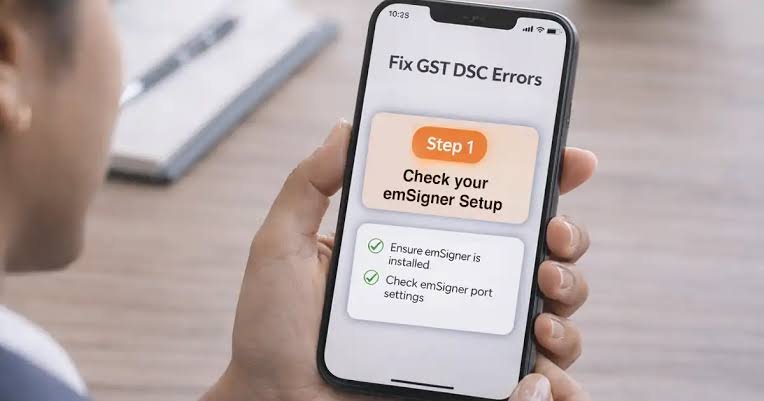
If DSC signing fails, check whether the correct certificate is available, valid and associated with the appropriate authorised signatory.
Also check the signing utility required for the GST process.
A common mistake is to spend time changing cookies and popup settings when the actual problem is an expired DSC or a signing utility that is not running correctly.
Pay attention to where the error appears.
If everything works until you choose the DSC option, focus your troubleshooting on the digital-signature setup.
Use Incognito Mode as a Diagnostic Tool
Private or incognito browsing can quickly tell you whether stored browser information is causing a problem.
Open a private window, access the GST portal and repeat the affected process.
If it works there but not in your regular browser session, cached data, cookies or extensions may be involved.
However, incognito mode is not automatically the ideal environment for every GST task. Some extensions or certificate-related components may behave differently in private mode.
Use it mainly to diagnose ordinary browser and session problems.
Avoid Multiple GST Sessions
During return filing, keep the browser environment simple.
Opening the same GST account in several tabs can lead to confusion about which page contains the latest saved information.
You may also accidentally work with an older session.
Use one primary GST tab and save information at appropriate stages.
If the portal becomes unresponsive, check whether the previous request was processed before repeating the action.
This is particularly important after clicking Save, Submit, File or another action that changes the status of a return or application.
Create a Dedicated Browser Profile for GST Work
Businesses and tax professionals who use GST services frequently may benefit from a separate browser profile dedicated to compliance work.
Keep the profile updated and avoid filling it with unnecessary extensions.
This creates a cleaner environment for GST, income-tax and other business portals while allowing your everyday browser profile to retain its normal extensions and personal settings.
A dedicated profile also makes troubleshooting easier because there are fewer variables that can interfere with a website.
Security Should Not Be Sacrificed for Convenience
Fixing a GST browser problem should never require turning off every security feature on your computer.
Allow JavaScript, cookies or popups only as required for the genuine portal and related authorised processes.
Do not install unknown browser extensions or software claiming to “unlock” GST functionality.
Similarly, never provide your GST password, OTP, DSC PIN or other authentication credentials to someone offering remote browser repair.
The best GST browser setup is not the one with the fewest security restrictions. It is an updated, clean and properly configured browser that gives the genuine GST portal the permissions it actually needs.
FAQs
Q1. Does the GST portal require Java or JavaScript?
A: JavaScript and Java are different technologies. Modern web pages rely on JavaScript for interactive functions, so it should not be unnecessarily blocked. Do not install unknown Java software simply because someone says GST needs “Java.”
Q2. Should cookies be enabled for the GST portal?
A: Necessary cookies should be allowed so the portal can maintain relevant sessions and functionality. If old cookies cause problems, clearing the GST site’s stored data and starting a fresh session may help.
Q3. Why are GST popups not opening in my browser?
A: Your browser or an extension may be blocking them. Check for a popup-blocked notification and, when necessary, allow popups specifically for the genuine GST portal rather than disabling popup protection everywhere.
Q4. What should I check if GST DSC filing is not working?
A: Check the validity and registration of the DSC, the authorised signatory details and the required signing utility. If normal GST pages work but the problem starts only at digital signing, focus on the DSC setup rather than changing unrelated browser settings.